

Four additions on the Repos surface that turn it from “your owned repos” into “every repo you care about, with the signals that matter”.
Star history sparkline ⭐
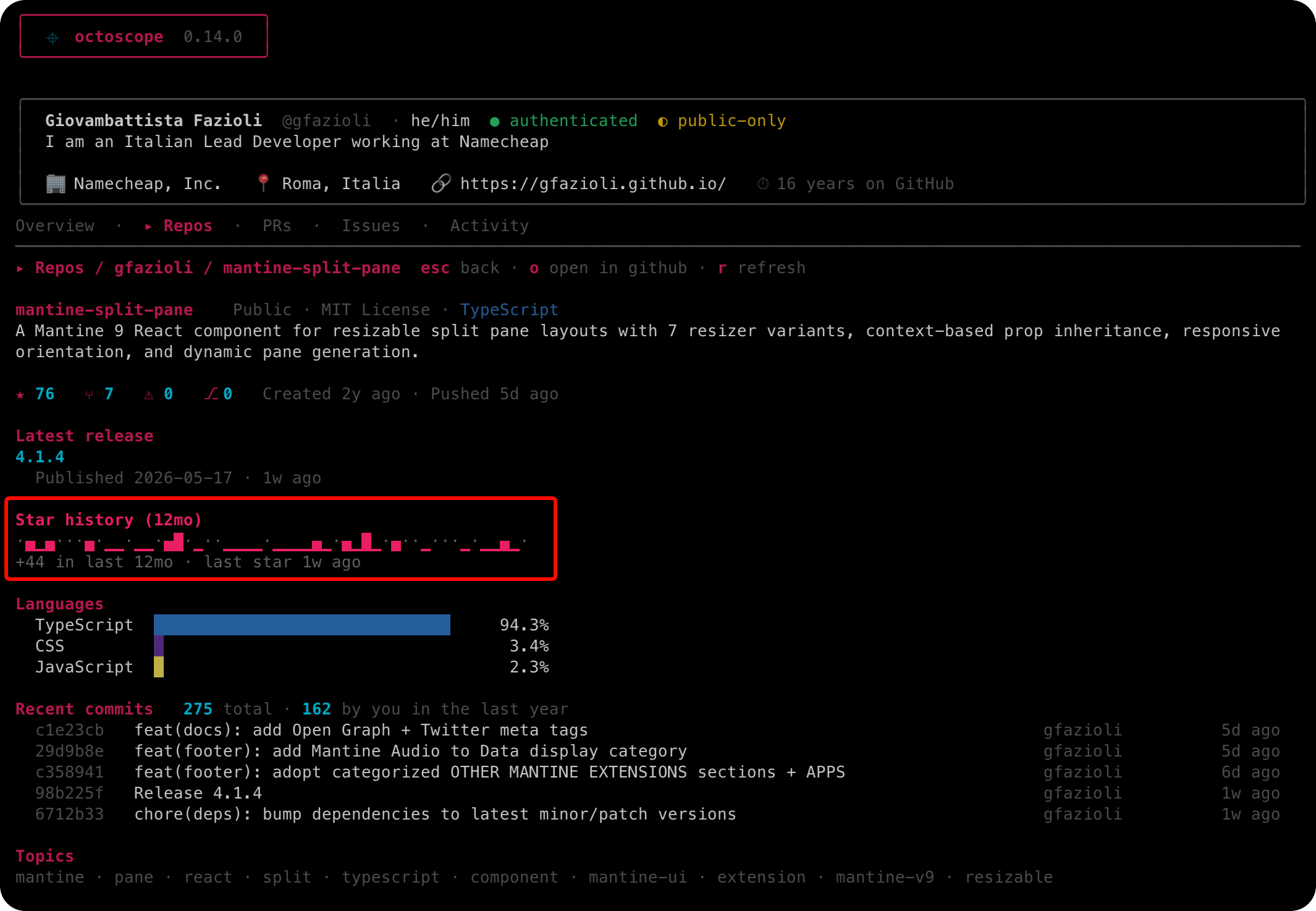
A 12-month star-history sparkline lands in the Repos drill-in: ASCII blocks ▁▂▃▄▅▆▇ over 52 weekly buckets, with empty weeks rendered as muted · ticks so the timeline stays continuous even on young repos. Footer reads +N in last 12mo · last star Xd ago. Fetched in parallel with the rest of the drill-in — no extra wait when you open a repo.
Latest release column
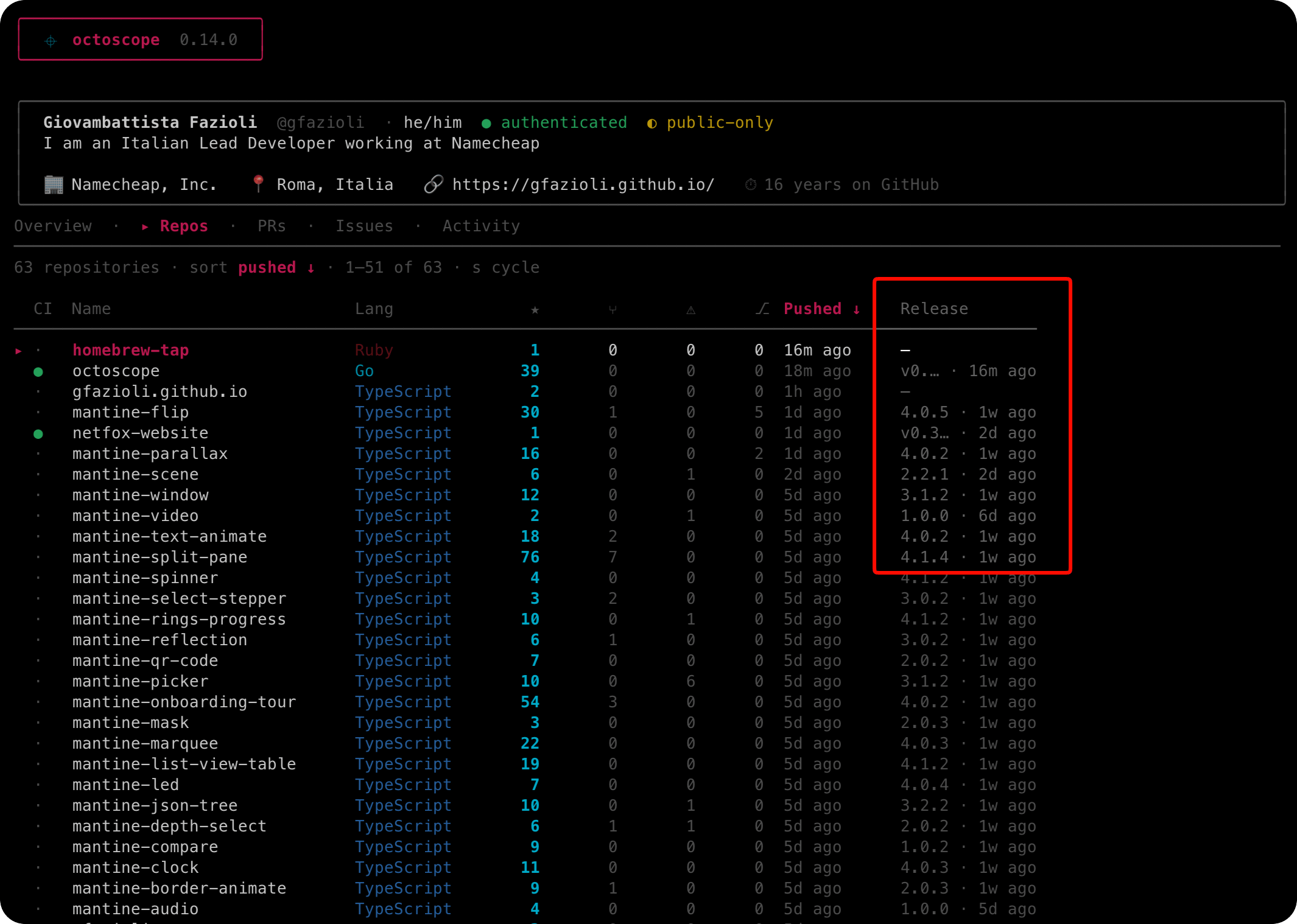
A new Release column on the Repos tab shows the most recent release tag plus its age (v1.2.3 · 3d). The s sort cycle gains a “release” entry. No extra round-trip — piggybacked onto the existing parallel CI query.
👀 Watched repos (external)
Add to your config:
watch_repos = [
  "charmbracelet/bubbletea",
  "cli/cli",
]
…and octoscope renders a dedicated Watched section under the Repos tab, separated from your owned repos by a muted rule. Same row idiom — CI dot, language, stars, latest release column — but populated from the GraphQL API in parallel with the dashboard refresh. Bounded fan-out (cap 10) so a long config doesn’t burst-flood GitHub.
Theme fidelity — monochrome means monochrome
The monochrome, phosphor and amber themes used to leak external semantic colour (GitHub language palette, CI rollup green/red, Activity heatmap gradient) even though they explicitly promise zero chroma. This release closes that gap end-to-end: language bars rank-scale through the theme’s own palette, CI rollup uses distinct glyphs (✓ / ✕ / ⋯ / ·) instead of colour, the Activity heatmap routes through the theme’s gradient. The promise on the theme name finally means what it says.
Upgrade
brew upgrade gfazioli/tap/octoscopeOr grab a binary from the release page: https://github.com/gfazioli/octoscope/releases/tag/v0.14.0
As always: read-only, free, MIT, on Linux / macOS / Windows. Source: https://github.com/gfazioli/octoscope
What would you put in your watch_repos?
Curious if anyone uses it for “my team’s repos” vs “projects I follow personally” — the answer shapes what gets a dedicated card next.