


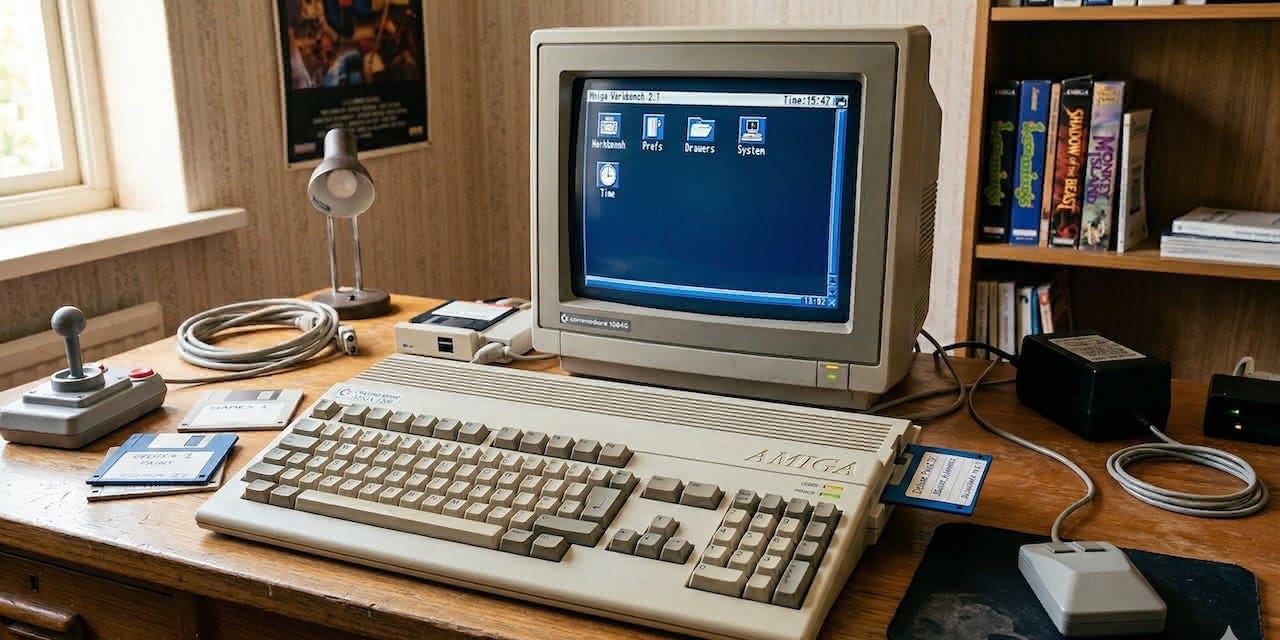
Back in 1991, I started writing what would become a 5,800-line shared library for the Commodore Amiga — entirely in hand-optimized Motorola 68020 assembly. The first routines (string utilities in libraries.asm) were saved on July 29, 1991. Over the next four years, the library grew steadily — graphics in October 1994, file I/O and memory management in early 1995, the REI windowing system through mid-1995, and the last recorded update in September 1995.
That code sat on floppy disks and hard drives for decades. Now, in 2026, I’ve dusted it off, open-sourced it, and built a modern documentation site for it with Next.js.
Let me tell you the story.
What Is This?
The Amiga Assembly Library is a shared library (assembly.library) for AmigaOS, written between 1991 and 1995, that provides 50+ high-level utility functions in optimized 68020 assembly. Think of it as a “standard library” for Amiga developers — covering everything from memory management and file I/O to bitmap graphics, string manipulation, and even a full windowing abstraction.
It’s Public Domain — no copyright, no licensing, no restrictions. Use it however you want.
Why Assembly? And Why Now?
When I wrote this library in the early ‘90s, the Amiga was my daily machine. I was 19, obsessed with squeezing every cycle out of the 68020, and frustrated by rewriting the same utility routines for every project. So I did what any obsessive programmer would do — I built a shared library.
The Amiga community, remarkably, is still alive and well in 2026. People are building hardware accelerators, writing new software, and pushing these machines beyond what anyone thought possible. When you’re working with a 7 MHz 68000 (or a 50 MHz 68060 if you’re lucky), every cycle counts. Hand-optimized assembly isn’t a flex — it’s a necessity.
I decided to open-source the library and give it the documentation it always deserved — because if this code helped me build a dozen projects in the ‘90s, maybe it can help someone else today.
What’s Inside?
The library is organized into 8 modules:
Exec — Memory and linked list management. AllocNewList, AllocNode, FreeList, ReAllocVec, and RevertMem for reversing memory regions.
DOS — File operations. Load and Save files to/from memory, FileInfo for metadata, CheckSum for data integrity, LineInput for reading files line by line, and UnitInfo for volume information.
Graphics — Bitmap rendering. Allocate and clone RastPorts, manage bitplanes dynamically, draw boxes and frames, and render printf-style formatted text directly to graphics surfaces.
Libraries — String utilities and media parsing. Case conversion, character filtering, AIFF/IFF chunk parsing, and ILBM image decompression.
Math — Number conversions between decimal, hex, binary strings and values — in both directions.
Intuition & GadTools — UI widgets. Custom dialog requesters with buttons, gadget property control by name (not just ID), and attribute manipulation.
REI Interface — This is the crown jewel. A complete windowing abstraction that separates UI definitions from application logic. You define your window layout in a .rei binary file, load it at runtime, and interact with named gadgets through an event-driven message loop. Think of it as a declarative UI system — for a 1990s computer.
C Interface — Full C prototypes and SAS/C pragma declarations so you can call every function from C with type safety.
The Magic of Auto-Opening
One of my favorite design decisions: when you open assembly.library, it automatically opens and caches 12+ system libraries for you:
#include <assembly/assemblybase.h>
#include <clib/assembly_protos.h>

struct AssemblyBase *AssemblyBase;

void main(int argc, char **argv)
{
    if (AssemblyBase = (struct AssemblyBase *)
        OpenLibrary(ASSEMBLYNAME, ASSEMBLY_MINIMUM))
    {
        /* All sub-libraries are now available:
         * AssemblyBase->ab_DosBase
         * AssemblyBase->ab_IntuiBase
         * AssemblyBase->ab_GfxBase
         * AssemblyBase->ab_GadToolsBase
         * AssemblyBase->ab_AslBase
         * ... and 7 more
         */

        CloseLibrary((struct Library *)AssemblyBase);
    }
}
One OpenLibrary call and you get graphics.library, intuition.library, dos.library, gadtools.library, asl.library, icon.library, workbench.library, datatypes.library, locale.library, lowlevel.library, realtime.library — all ready to use. No boilerplate. No forgetting to close one of them.
The REI Windowing System
The REI (Runtime External Interface) module deserves its own section. Instead of hardcoding window layouts in your application code, you define them in .rei files — binary interface definitions that describe windows, gadgets, menus, and their relationships.
At runtime, you load the .rei file and interact with UI elements by name:
OpenREI          → Create the window from a .rei file
WaitREIMsg       → Event-driven message loop
FindAsmGadget    → Find a gadget by its name
SetREIAttrs      → Change window properties
LockREI/UnlockREI → Thread-safe access
CloseREI         → Clean shutdown
The project even includes a visual REI Editor (v0.52) — a GUI tool for designing .rei files without writing code.
This approach is philosophically similar to what modern frameworks do with JSX or XML layouts. But this was designed for AmigaOS, running on a 68020.
The Documentation Site
Here’s where old meets new. The library documentation lives at amiga-assembly-library.vercel.app — a modern site built with:
Next.js 15 with Nextra for MDX-based docs
Mantine 9 for the UI components
TypeScript 6 for type safety
Syntax-highlighted 68020 assembly source code
Complete API reference for all 50+ functions
Example programs with full source
An Amiga Mode toggle that applies retro styling
Yes, a documentation site built with React and TypeScript — for a 68020 assembly library. The irony is not lost on me.
Getting Started
Requirements
CPU: Motorola 68020 or higher
OS: AmigaOS with KickStart 3.0 (V39) or later
Assembler: HiSoft DevPac or compatible
C Compiler (optional): SAS/C, DICE, or compatible
Installation
Copy assembly.library to your LIBS: directory. That’s it — it’s a standard AmigaOS shared library, available system-wide to all applications.
Assembly Usage
        move.l  _AbsExecBase,a6
        lea     AssemblyName(pc),a1
        moveq   #ASSEMBLY_MINIMUM,d0
        jsr     _LVOOpenLibrary(a6)
        move.l  d0,_AssemblyBase
        beq     .error

        ; Use library functions...
        move.l  _AssemblyBase,a6
        jsr     _LVOAllocNewList(a6)

        ; Clean up
        move.l  _AbsExecBase,a6
        move.l  _AssemblyBase,a1
        jsr     _LVOCloseLibrary(a6)
C Usage
Include the headers, open the library, and call functions directly:
#include <assembly/assemblybase.h>
#include <clib/assembly_protos.h>
#pragma libcall AssemblyBase AllocNewList 1e 00

struct List *myList = AllocNewList();
What’s in the Source?
The library is about 5,800 lines of hand-optimized 68020 assembly across 8 modules:
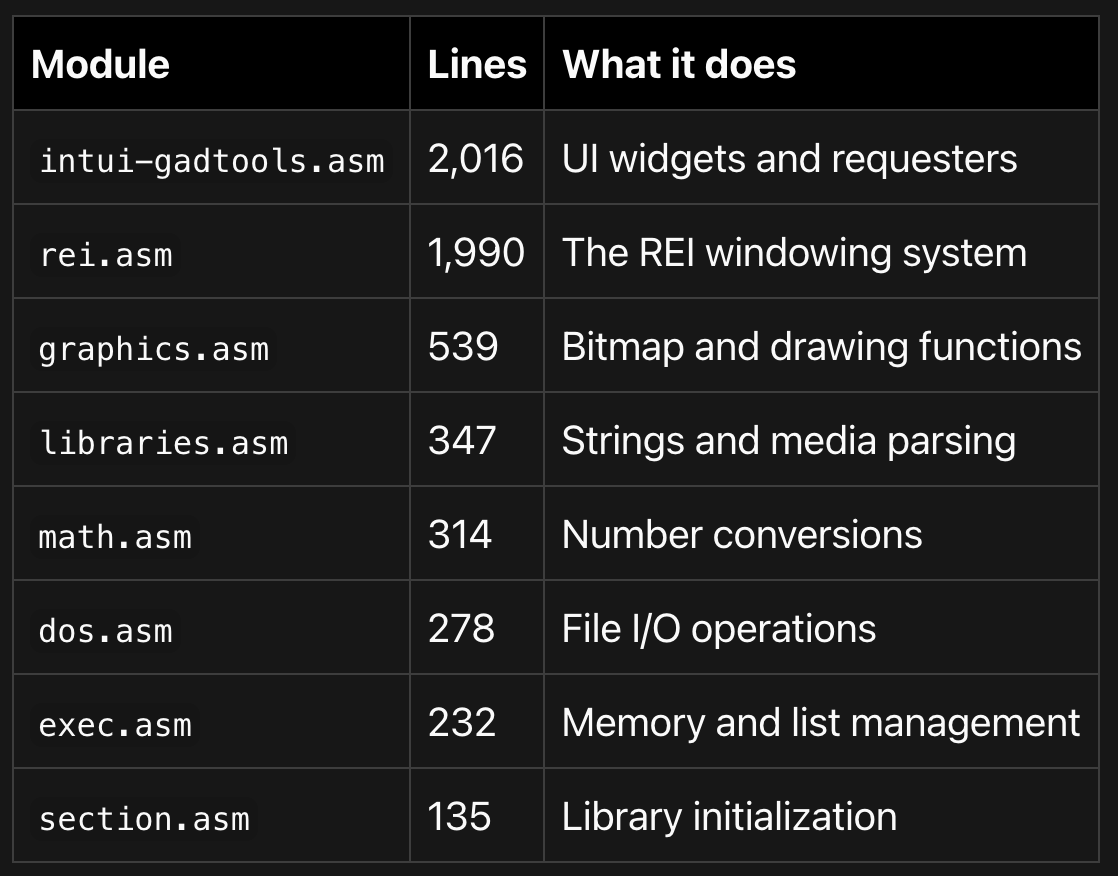
Plus C headers, pragma declarations, example programs (including a screen grabber, a window inspector, and the visual REI editor), and comprehensive documentation.
Why Open Source This?
Because the Amiga community thrives on sharing. The best Amiga software was always the stuff people passed around on floppy disks, uploaded to Aminet, and shared freely. This library is Public Domain — not MIT, not GPL, not Apache. Public Domain. Take it, use it, modify it, sell it, whatever you want. No attribution required.
If even one person building an Amiga project finds a useful function in here, it was worth it.
Links
Documentation: amiga-assembly-library.vercel.app
Source Code: github.com/gfazioli/Assembly-Library
Documentation Source: github.com/gfazioli/amiga-assembly-library
This code is over 30 years old. I wrote it when I was a teenager, on a machine with 2 MB of RAM. And somehow it still works, still compiles, and still does exactly what it was designed to do. There’s something deeply satisfying about that.
If you’re into retro computing, 68k assembly, or just appreciate the craft of writing software for constrained platforms — I’d love to hear from you. Drop a star on the repo, open an issue, or just say hi.
The Amiga isn’t dead. It’s just warming up.