

Not the fortnightly round-up: a new app. If you grew up with an Amiga you probably still keep its disks, as .adf files, in a folder on your Mac, and the Finder shows every one of them as the same blank document. To see what is on one, you start an emulator. Floppeek, out today, is a Quick Look extension for Amiga disk images, free and open source. The name is a floppy and PEEK, the BASIC command that reads a byte of memory.
Press Space
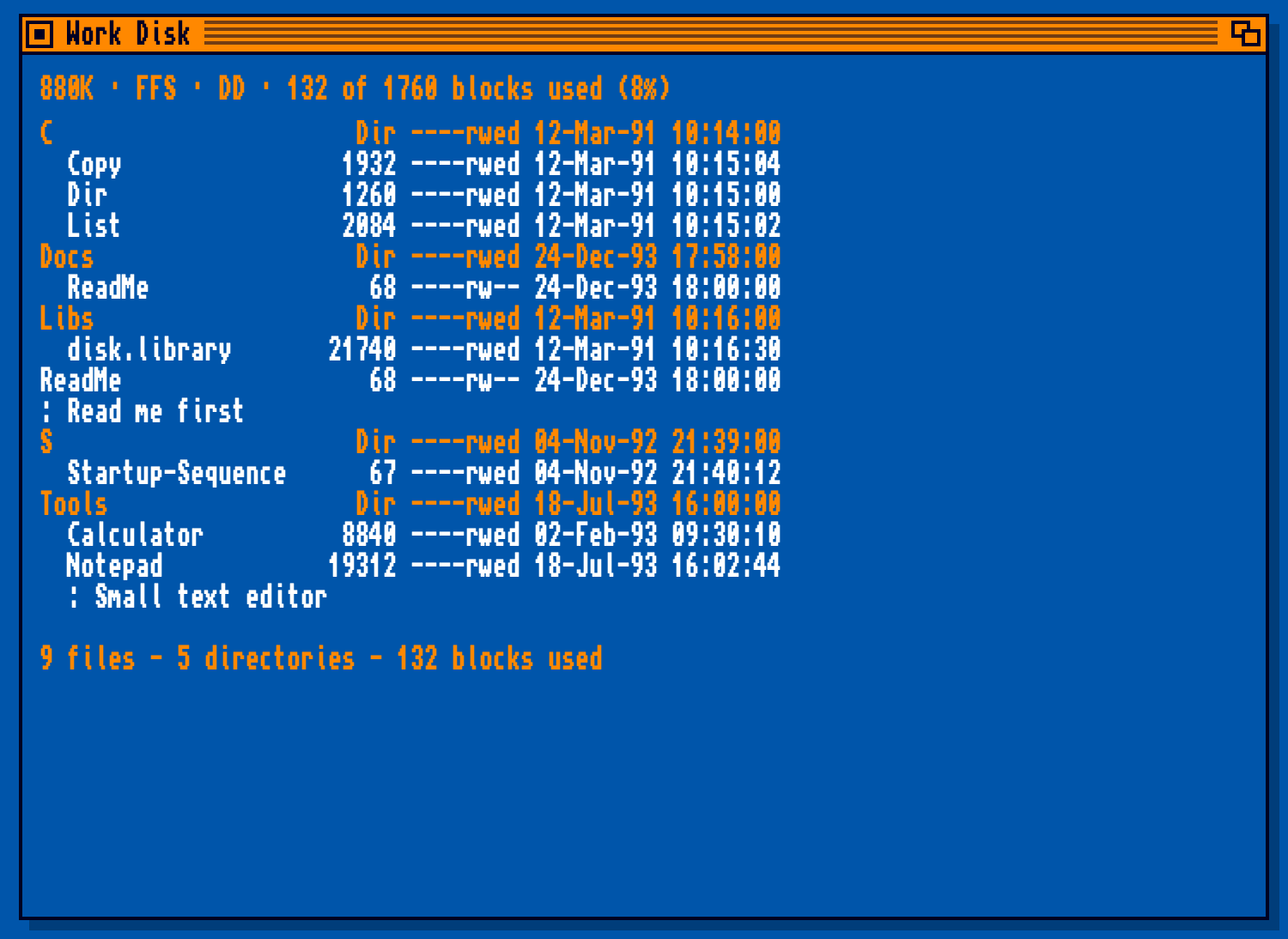
Select an .adf in the Finder and press Space: the disk opens as a Workbench window, in Topaz, every drawer listed the way AmigaDOS List prints it. Sizes, protection bits, dates to the second, comments and links, and at the bottom how many files and drawers the disk holds and how many blocks they use.
A floppy for every disk
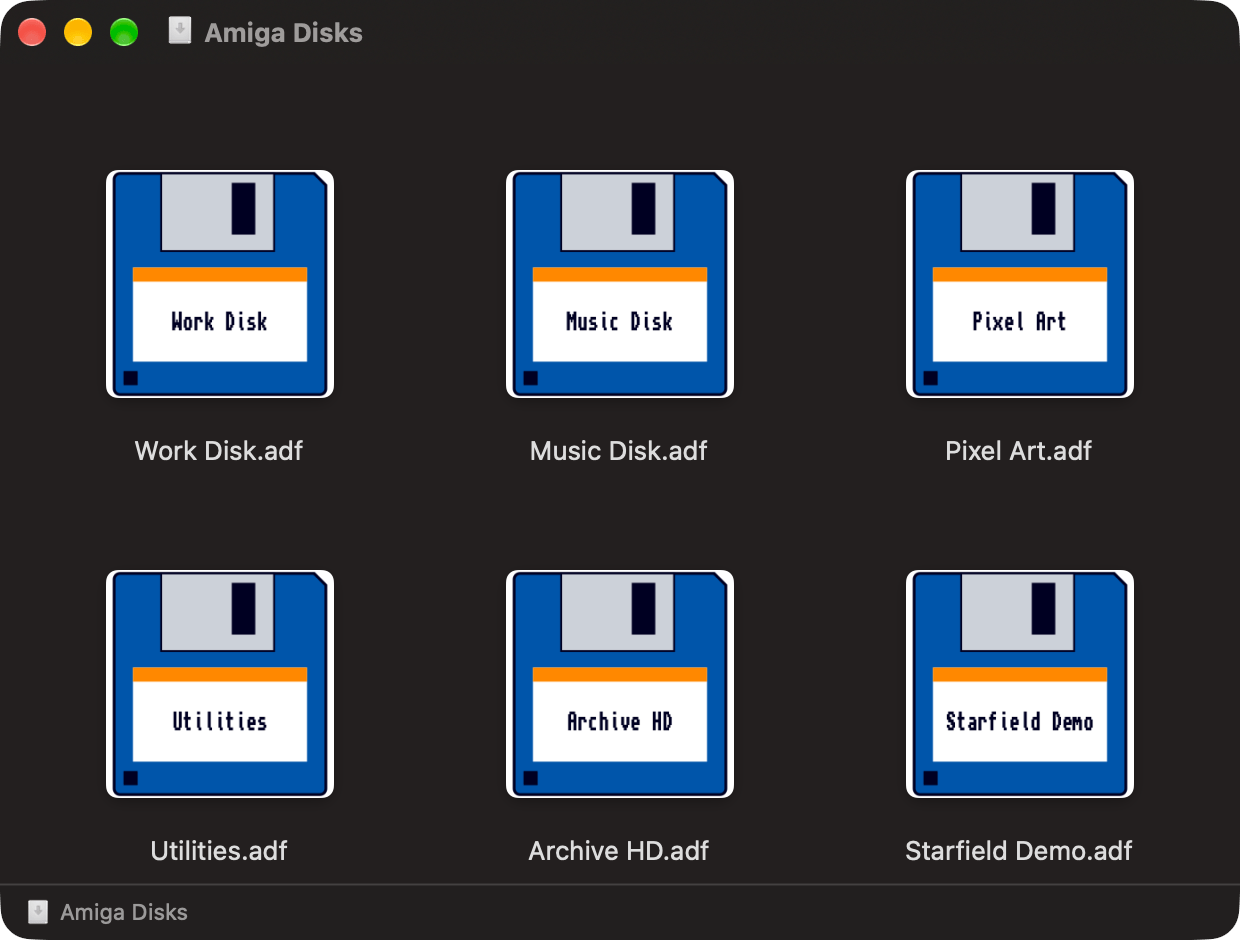
In icon view, each .adf becomes a 3.5” floppy with its volume name on the label, so a folder of disks reads like a disk box. For the icon Floppeek reads only the disk’s root block, the one that holds its name.
Games and demos
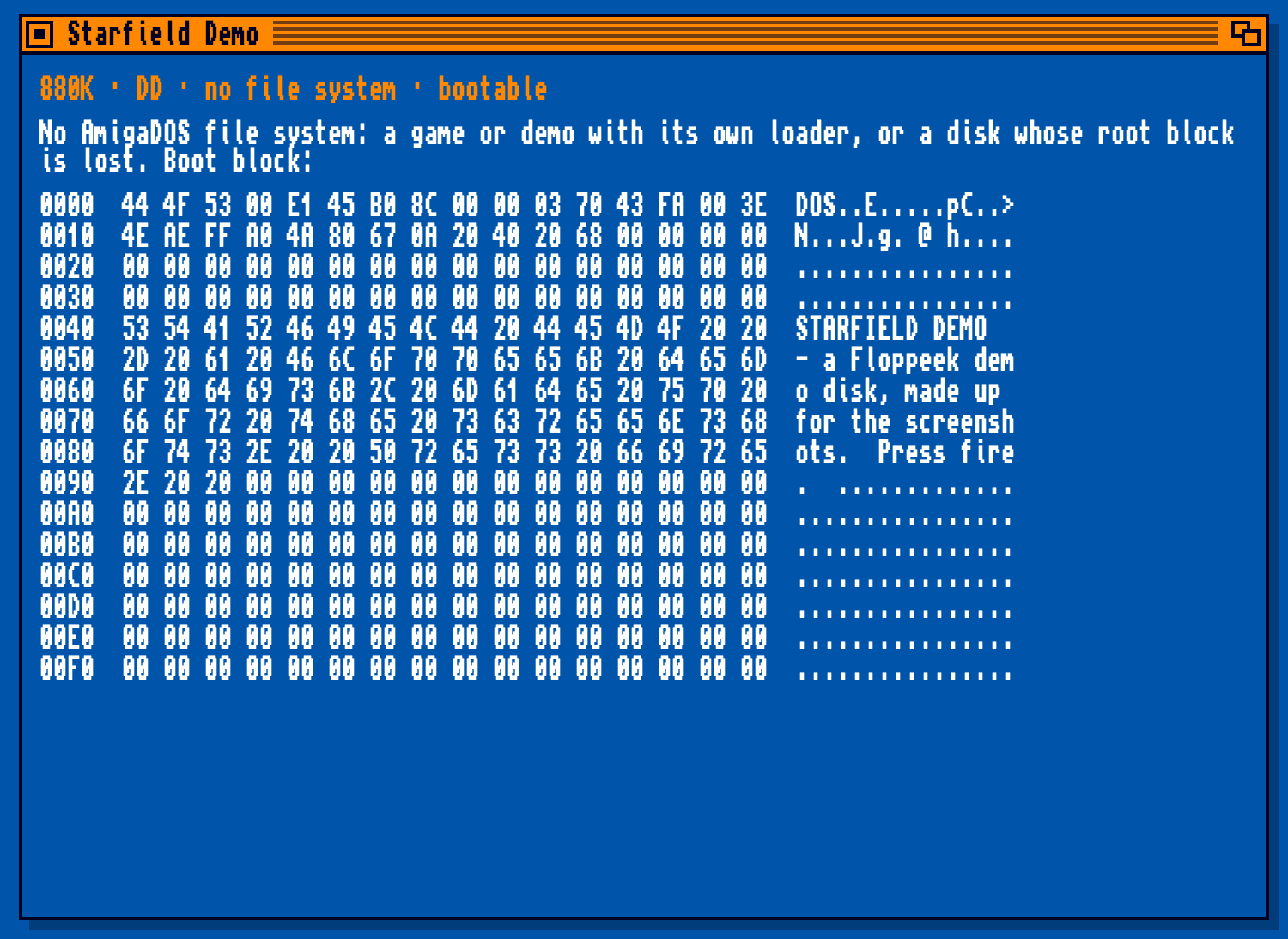
Most game and demo disks have no file system at all: Kickstart boots any disk whose boot block says DOS, and the disk’s own loader takes it from there. Floppeek says so, instead of calling the disk broken, and shows the boot block in hex, with the text it carries and whether it boots.
What it reads, and how I know
OFS and FFS, double and high density, and dumps of up to 84 cylinders. Disks with OS 3.2’s long names are recognised, and not read yet.
Every test disk with a file system is written by amitools’ xdftool, an independent implementation, never by Floppeek’s own code, and the reader’s listing is compared with xdftool’s line by line: names, sizes, protection bits, comments, and dates to the tick. It also never trusts a pointer on the disk. Before the first release it read 120,000 randomly corrupted disks: loops, blocks outside the disk and bad checksums come out as a list of problems under what can still be read, never as a crash. The extensions run in Apple’s sandbox, read only the file being previewed, and never touch the network.
Install
Download the DMG from the site, signed and notarized by Apple, or use Homebrew:
brew install --cask gfazioli/tap/floppeekOpen Floppeek once so macOS registers its extensions, then press Space on any .adf. It needs macOS 15 or later, on Apple silicon or Intel.
Next
One slice at a time: IFF/ILBM pictures, loose and inside disks; tracker modules (.mod, .xm, .s3m, .it) with their patterns and sound; then Commodore 64 files.
Website: gfazioli.github.io/floppeek
GitHub: github.com/gfazioli/floppeek
Discord: discord.gg/rdWu5yFCR6